 PattyShop
PattyShop documentation
Shared shopping, pantry, recipes, and cooker presets for one household. The live app is pattyshop.app.
Getting started
- Open PattyShop and Sign up with email and password.
- Confirm the email we send, then create a household or join with an invite code.
- Share the invite code from Household / Invite. Each person signs up with their own account.
Lists belong to the household, not to a single phone. Other households cannot see yours.
Overview
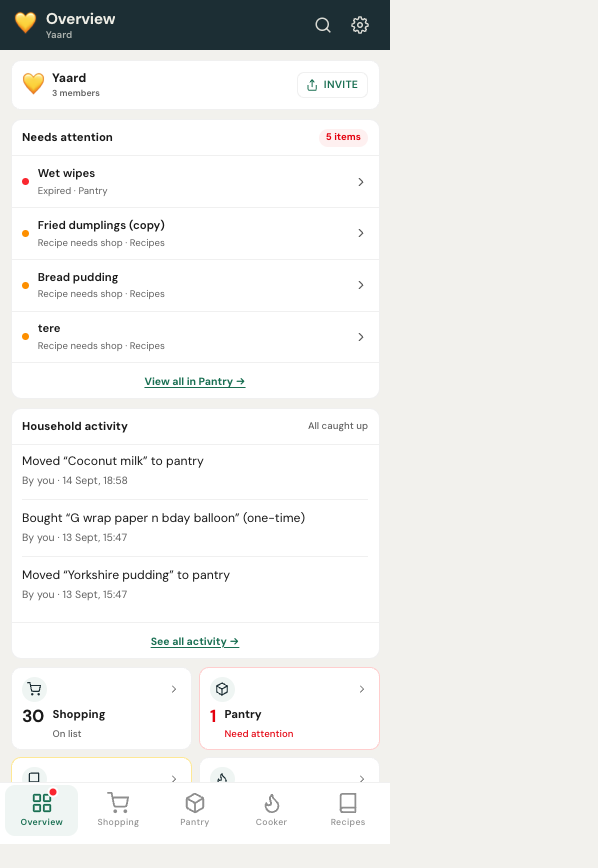
Overview is the home tab after sign-in. It shows what needs a look across Shopping, Pantry, Cooker, and Recipes, plus recent household activity.
Shopping
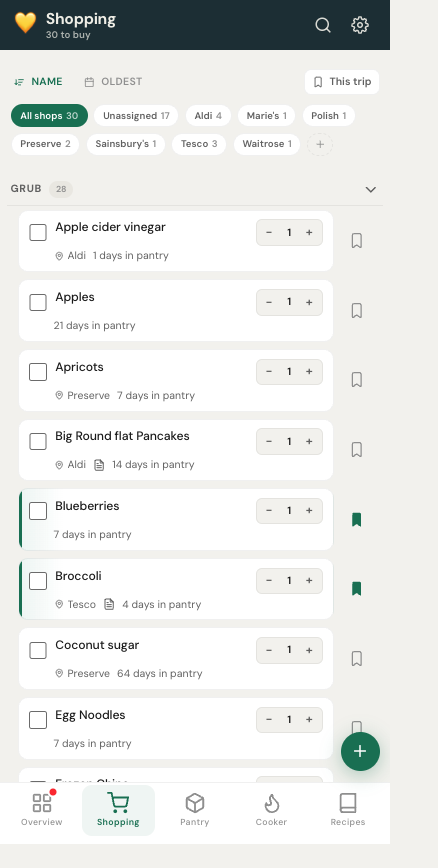
- Grub — food.
- Thingy — non-food supplies.
- Recently Bought — one-time purchases after checkout.
Tap + to add one name or several at once. Recurring items move to the pantry when you tick them bought. One-time items go to Recently Bought. Filter by shop, or mark items for This trip before you leave the house.
Pantry
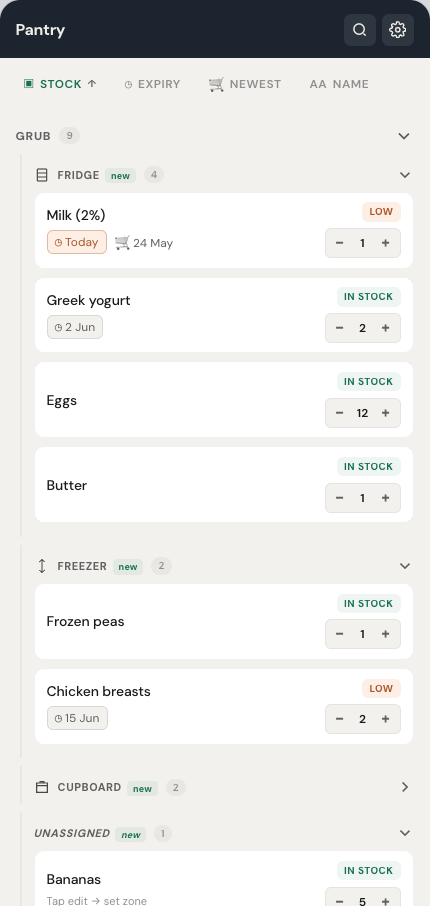
Stock is in-stock, low, or out, based on quantity and each item’s low threshold.
- Use + / − on a card. Status updates immediately.
- Zones: Fridge, Freezer, Cupboard, plus up to two household zones, and Unassigned.
- If auto-move is on in Settings, quantity 0 can send the item back to Shopping (with undo).
Cooker
Save Test and Ideal presets per appliance (air fryer, oven, grill, microwave, hob). Start a timer from a preset. Turn on cooking timer notifications in Settings if you want a ping when time is up.
Recipes
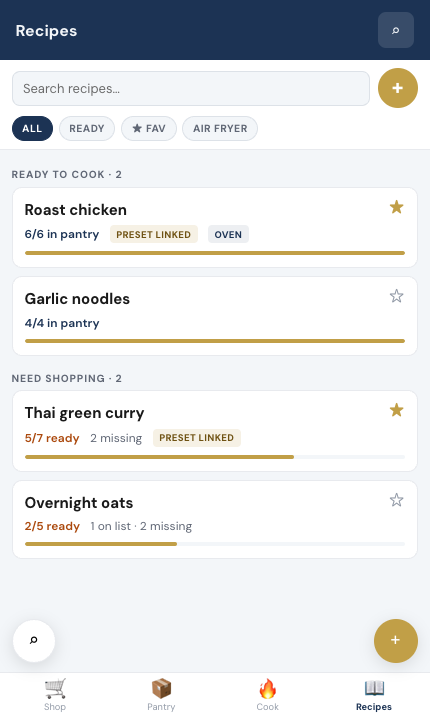
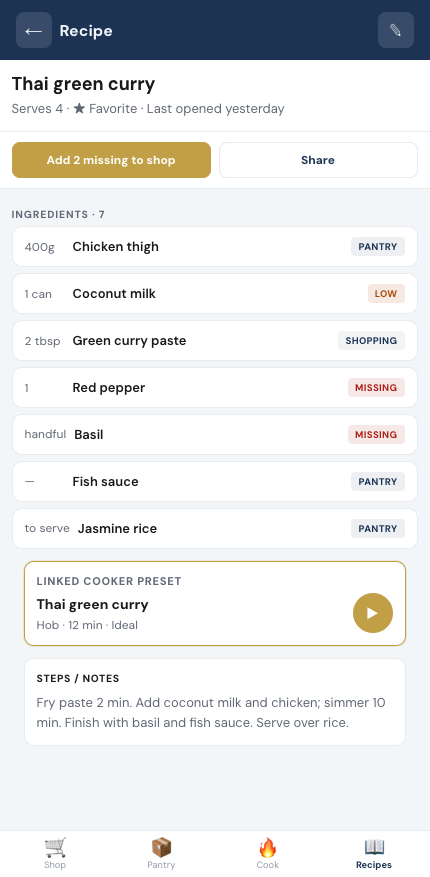
Save meals with ingredients linked to Pantry and Shopping. A recipe is ready when everything is in the pantry. Use Add missing to put gaps on the shopping list. You can favourite a recipe, record when you cooked it, and link a cooker preset.
Search
The header search (or ⌘K on a keyboard) finds items, presets, and recipes. You can add a new shopping item, preset, or recipe from the same overlay.
Household
Invite links look like www.pattyshop.app/join/A1B2C3 and send people to the app. Optional join approval lets an admin accept or decline. The activity feed shows who added, bought, or moved something.
One account belongs to one household at a time. If you leave and others remain, shared lists stay with them. If you are last, leaving deletes the household.
Settings
- Theme (light, dark, system), accent colour, and text size — per person, not per household.
- Shop names, list defaults, and which fields show on cards.
- Cooking timer and expiry reminder notifications.
- Export shopping or pantry as CSV or text.
- Account: display name, password reset, delete account.
Install
- iPhone: Safari → Share → Add to Home Screen.
- Android: Chrome menu → Install app / Add to Home screen.
- Desktop: install icon in the address bar (Chrome / Edge).
When a new version ships, the app asks before it reloads — including if a timer is running.
Troubleshooting
| Issue | What to try |
|---|---|
| Changes not showing for others | Same household? Network up? Refresh. Check you are not offline. |
| Cannot add a duplicate name | Search first — it may already be on Shopping or Pantry. |
| Timer notifications missing | Enable cooking timers in Settings and allow browser notifications. |
| Recipe always needs shopping | Ingredients still on the shopping list count as not ready. Buy them, or use Add missing then shop. |
| Old version after an update | Accept the in-app update, or hard-refresh. |
Still stuck? Support.